ProductsAtlant DLP
Trace sensitive data on Windows.
Atlant DLP helps security teams see when work data is copied, moved to another drive or uploaded through a browser. Define what counts as sensitive, then inspect the event behind a match.
Product tour
From a sensitive pattern to an event
Tell DLP what to look for.
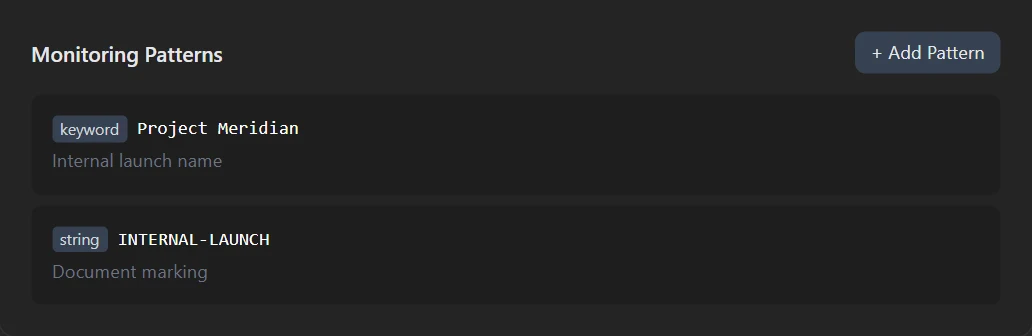
A keyword can identify an internal project name. An exact string can match a document marking, and a regular expression can recognize a structured identifier.
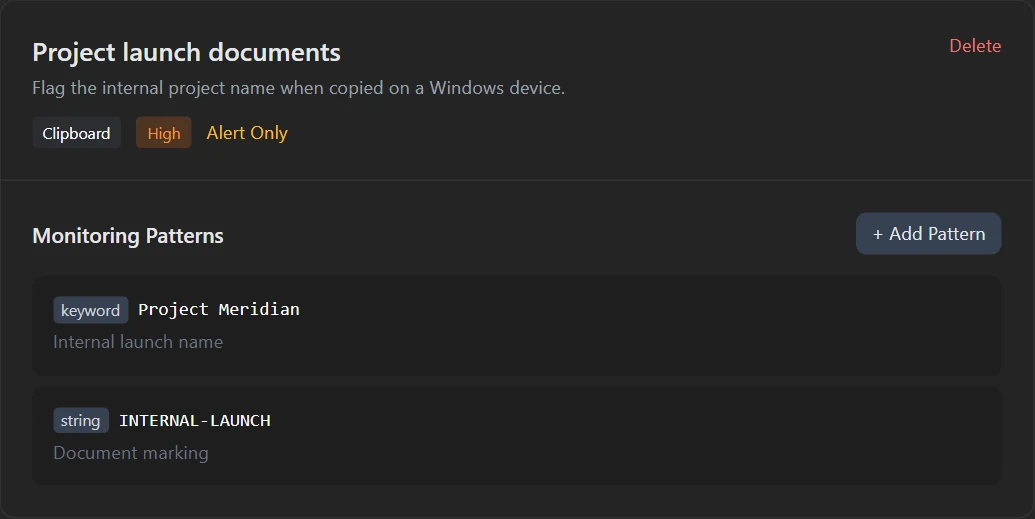
The example policy flags “Project Meridian” and “INTERNAL-LAUNCH”. A reviewer can see which patterns the policy monitors.
 Enlarge monitoring patterns ↗
Choose where the rule applies.
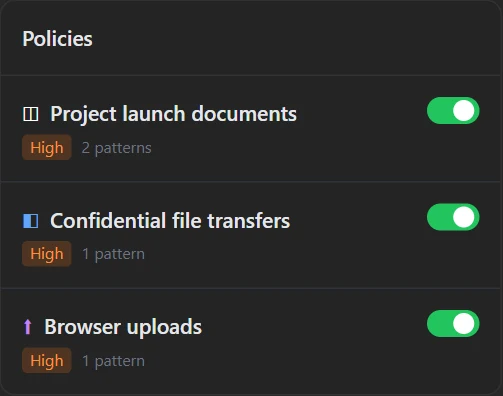
Set up a clipboard, file-transfer or web-upload policy for the activity you want to review. A copy into the clipboard and an upload to a website leave different evidence.
Start with the channel your team is trying to understand. In the example, each channel has its own named policy.
 Enlarge policies by channel ↗
Inspect a clipboard match.
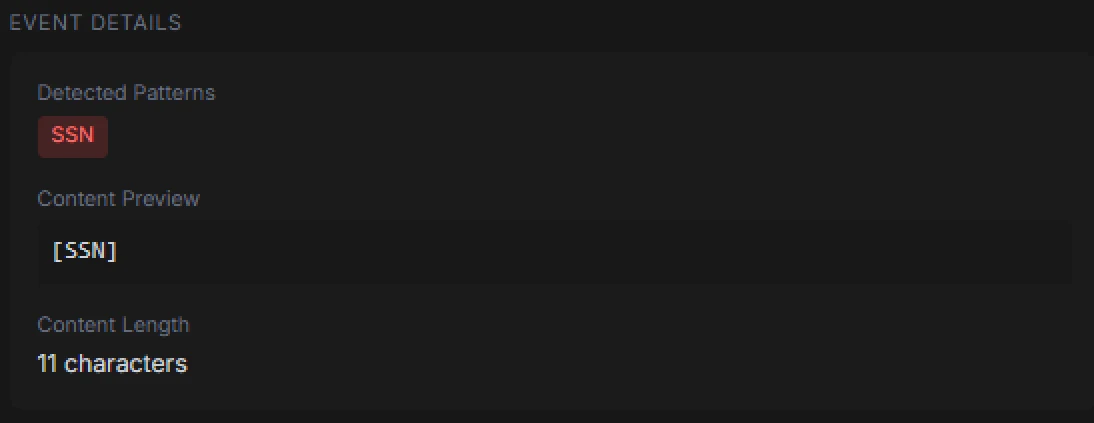
A clipboard event can identify the detected pattern and the length of the copied text. Here the record shows an SSN match, a masked preview and a length of 11 characters.
This event records a copy. A reviewer would need more evidence to establish where the text went next.
 Enlarge clipboard event details ↗
Recorded upload
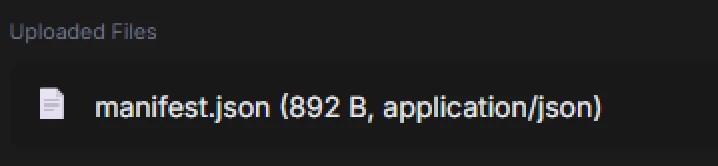
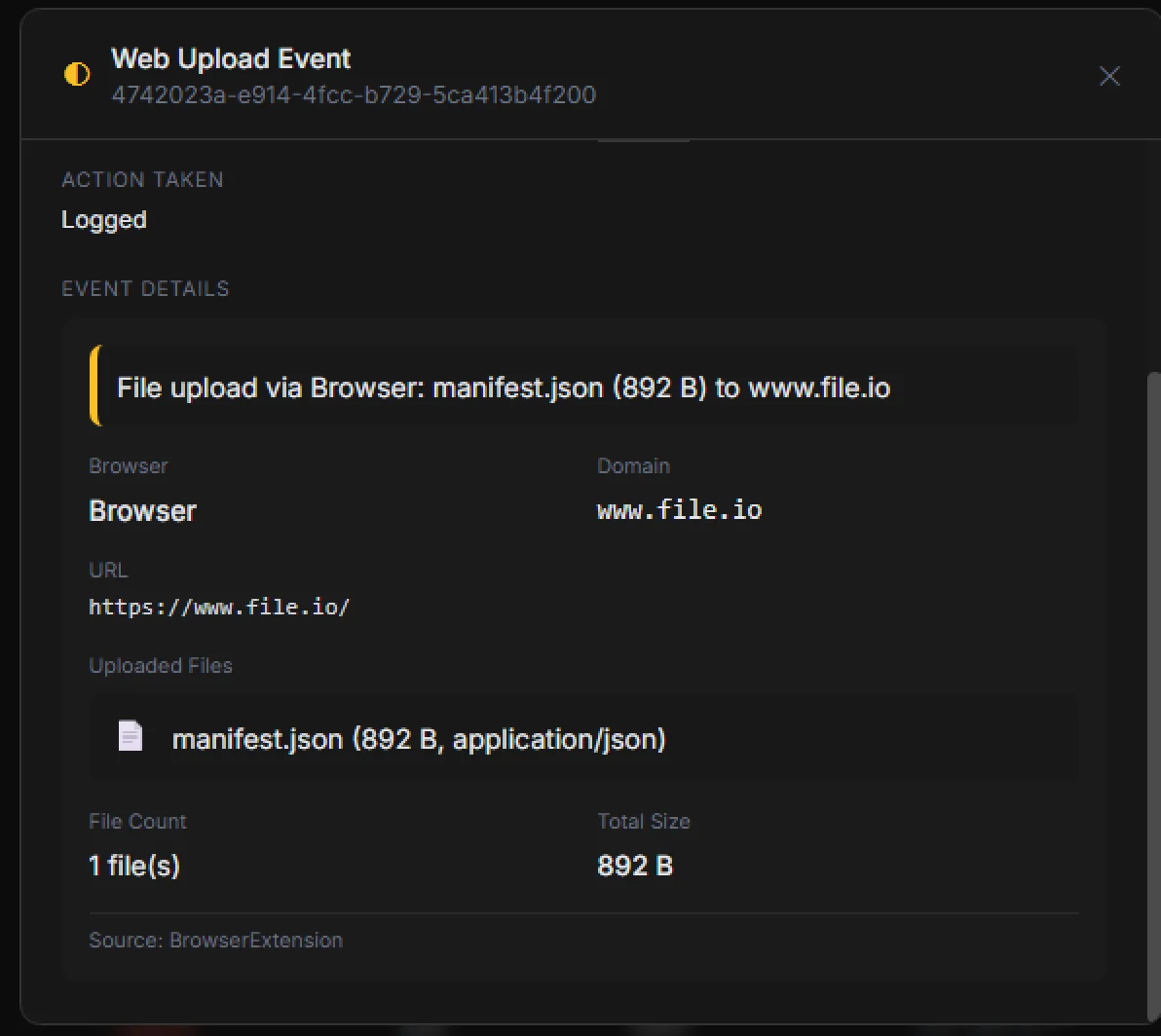
Where did manifest.json go?
The event gives a reviewer three facts to check against the organization’s transfer policy.
- Which file?
- One JSON file, manifest.json, with a recorded size of 892 bytes.
- Which destination?
- The browser extension recorded www.file.io as the destination.
- What action did DLP take?
- The event says “Logged”. A reviewer can use the file and destination details to check whether the transfer was authorized.
 Enlarge full upload record ↗
Bring one data-handling rule to a walkthrough.
Choose a harmless test file, a sample identifier and the transfer you care about. Walk through the matching policy and the record your security team would review.